
narratorr-requests
narratorr-requests is an Overseerr-style request manager for
narratorr. Family and friends sign in, search the audiobook catalog, and request titles;
an admin approves them, and approved requests are handed to narratorr’s search → download → import pipeline. It’s the “let other people ask for audiobooks without giving them the keys to
narratorr” layer.
How it fits with narratorr
Section titled “How it fits with narratorr”narratorr-requests is a plug-in sidecar. It talks to narratorr only over narratorr’s
public /api/v1 HTTP surface, authenticated with a narratorr API key. There is no other
coupling — no shared database, no shared filesystem.
- The API key is server-to-server only. It lives in narratorr-requests’s backend and is
never sent to the browser. The browser only ever calls narratorr-requests’s own
/api/*. - narratorr-requests polls narratorr (
GET /books/:id) to follow a request’s progress — there is no webhook back from narratorr. - You configure the narratorr connection (and your notifiers) in narratorr-requests’s own in-app Settings page after first boot — not through environment variables.
The request flow
Section titled “The request flow”-
Sign in. A user signs in with local email/password or an OIDC provider (Plex bridge, Authelia, etc. — see Authentication).
-
Get approved. New users land in an approval queue (
pending) and can’t search or request until an admin approves them. The first user to sign in becomes the admin. -
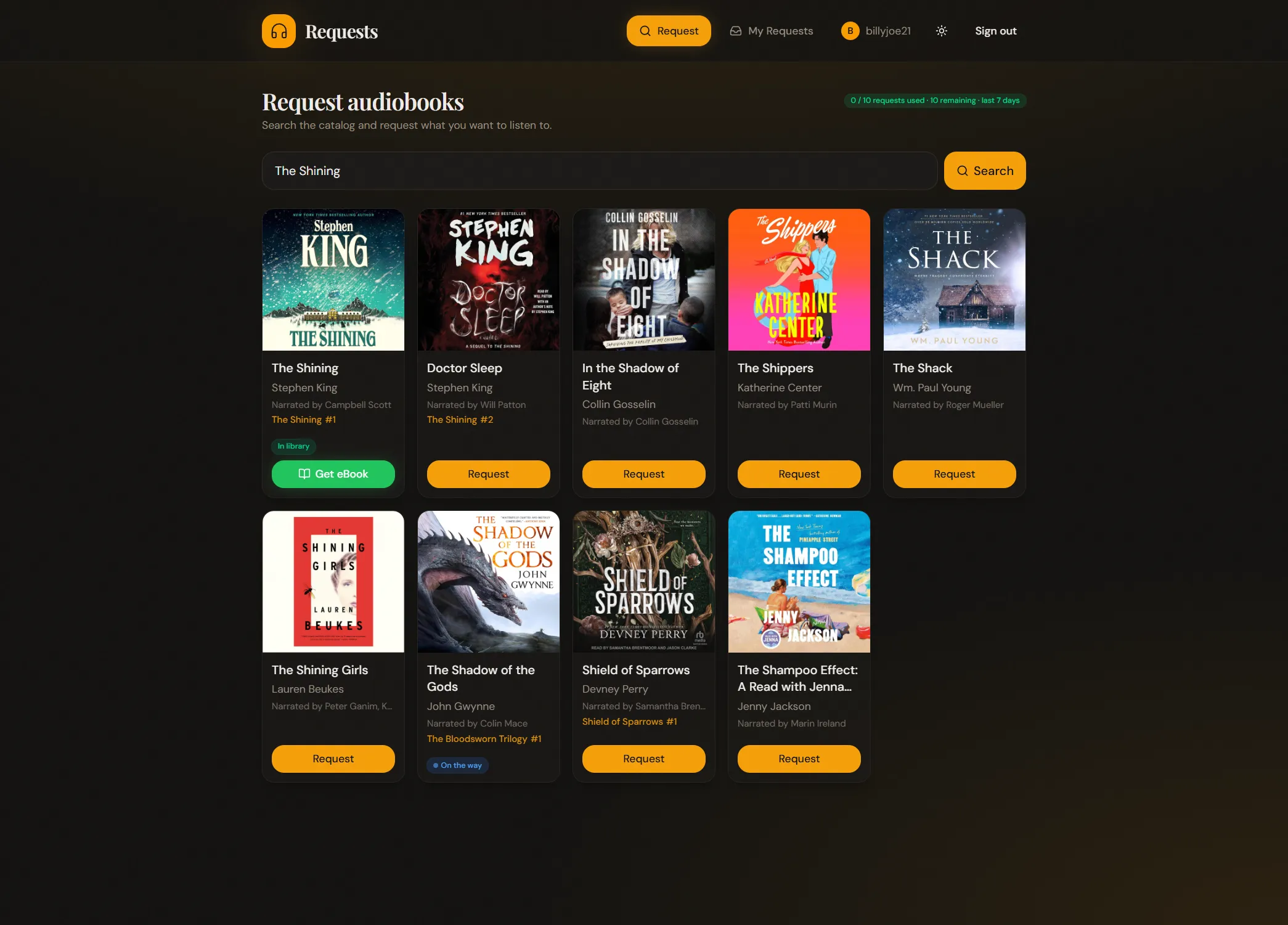
Search & request. An approved user searches the catalog and hits Request on a result (non-admin requests draw down a rolling request quota, if the admin set one). Each result shows whether the book is already in your library, already on the way, or requestable.
-
Admin approves the request. The admin approves (or denies) each request from the Queue. Admins and any users flagged auto-approve skip this step.
-
Handoff to narratorr. On approval, narratorr-requests adds the book to narratorr (idempotent by ASIN) and the request enters
acquiring. -
Track to available. narratorr-requests polls narratorr and advances the request to
availableonce narratorr finishes importing — or to Failed, with a plain-English reason. The requester watches this live on their My Requests page — it updates every few seconds.
Companion eBooks
Section titled “Companion eBooks”If narratorr keeps a companion EPUB alongside an audiobook, narratorr-requests can offer that too: library books grow a green Get eBook action — download the EPUB, or Send to Kindle (the app emails it to the user’s device, and walks them through Amazon’s one-time approved-sender setup). It’s opt-in on both sides: an admin toggle in Settings plus eBook support enabled in narratorr itself — and Send to Kindle additionally needs a configured Kindle sender. See Using → eBooks.
Authentication vs. authorization
Section titled “Authentication vs. authorization”These are independent on purpose:
- Authentication (who you are) is pluggable — local email/password, any number of OIDC
providers, or an
AUTH_BYPASSdev shortcut. - Authorization (who may request) is the in-app approval queue —
pending→active/rejected, decided by an admin.
So you can let anyone sign in via your IdP while still gatekeeping who actually gets to request.
Next steps
Section titled “Next steps”- Installation — run it with Docker.
- Authentication — local and OIDC sign-in, the approval queue, and admin bootstrap.
- Configuration — connect to narratorr and set up notifications in the Settings page.
- Using narratorr-requests — search, request, grab companion eBooks, and manage the queue.
- Troubleshooting — common first-run issues.